


1 / 1
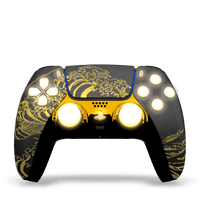
Kanagawa – Prestige FPS / LED Kit
Regular price
€279,90 EUR
Tax included.
Shipping calculated at checkout.
4 pallets
Mouse Clicks - Trigger Stop (R2/L2)
Ergonomic grips
4 customizable profiles
Ergonomic grips
Complète avec :
Expédition sous 48H
Évaluations vérifiées
Support réactif
Payment and security
Description
FPS palette configuration
Mouse Clicks + Trigger Stops Configuration
Profile Configuration
LED kit configuration
Shipping and Returns
Discover our FPS controller "Kanagawa - Prestige / LED Kit" . All our Playstation 5 paddle controllers are official and brand new.
This FPS controller “Kanagawa – Prestige / Kit Leds” is equipped with the following elements:
- 4 SPF palettes
- Prestige front hull
- Black back cover
- Black Grips
- Chrome Gold Central Shell
- LED Kit
- Mouse Clicks – Trigger Stop (R2,L2)
- 4 customizable profiles
🚀 Improve your performance with our FPS Palettes.
More control, more precision, more victories.
Gain the advantage with 4 programmable rear paddles, designed to execute your actions faster and without taking your hands off the sticks. Always be the first to react thanks to ultra-responsive Trigger Stops, which reduce trigger travel for instant shots.
-
Comfort designed for performance: optimized ergonomic grips ensure a perfect grip, even during long gaming sessions.
-
Total customization: Save up to 4 configurable profiles and adapt your controller to your play style in one click, whether in FPS, Battle Royale, Racing or Combat.
Ready to take your game to the next level? Set up your paddles and play like a pro! Want to know how to set up your FPS paddles? Check out our video tutorial for a complete and easy-to-follow explanation!
💡 Adapt your settings to each type of game – FPS, Battle Royale, Racing or Combat – and switch between profiles in a second, without having to reconfigure everything.
Do you want to customize your FPS controller? Discover our collection. Custom FPS controller .
You want to start slowly and have only 2 rear paddles, don't panic, discover our PS5 Controllers Paddles .
All our PS5 FPS controllers come with a 6-month warranty.
With FPS Paddles , you can reassign your keys in seconds to optimize your gameplay and improve your responsiveness. Here's how to easily configure your paddles:
1️⃣ Access configuration mode
- Turn on your controller and make sure it is connected to your console.
- Press and hold the center button on the back of the paddles for 5 seconds.
- When the blue light flashes continuously , you are in configuration mode .
2️⃣ Reassign a key to a palette
- Hold down the key you want to assign and the corresponding paddle for at least 3 seconds .
- The indicator light will flash red to confirm the assignment.
- Repeat this for each palette you want to configure.
3️⃣ Exit configuration mode and save
- Once all your palettes are configured to your preferences, press and hold the center button again for 3 seconds until the blue light stops flashing .
- When the light turns solid , it means that you have exited configuration mode and everything is saved.
💡 You can configure each paddle independently to adapt your controller to different play styles (FPS, Battle Royale, Racing, etc.).
With the FPS back cover , you have two slide switches located at the R2/L2 triggers. These switches allow you to enable or disable Trigger Stops and mouse clicks , depending on your preferences and play style.
⭕ How to enable Trigger Stops / Mouse Clicks?
- By default, the switches are in the off (inward) position, which allows the triggers to have their full travel.
- To activate the Trigger Stops , slide the switches outward .
- Once activated, you'll hear a distinct click and feel the difference: the trigger travel is reduced, allowing you to have ultra-fast responsiveness for instant actions.
❌ How to disable Trigger Stops / mouse clicks?
- If you want to regain full trigger travel , simply slide the switches inward .
- This allows you to tailor the experience depending on the game, especially for racing or adventure games , where progressive trigger pressure is preferable.
💡 You can activate one trigger or both , depending on your playstyle and responsiveness needs.
Big news: FPS palettes let you save up to 4 configuration profiles! Instantly adapt your settings to your play style and switch configurations in the blink of an eye.
Each profile is associated with a specific color: Blue , Green , Cyan , Purple.
How do I switch between profiles?
- Simply double-click the center button on the back of your controller.
- The indicator light will change color , indicating the active profile.
- Return to your favorite profile by repeating the action as many times as necessary.
💡 Adapt your settings to each type of game - FPS, Battle Royale, Racing or Combat - and switch between profiles in a second , without having to reconfigure everything.
How to change the colors and modes of your LED kit?
Follow our video tutorial and add style and immersion to your gameplay with the LED Kit integrated into your controller. Choose from 7 colors and different lighting modes for a unique and fully customizable experience.
✅ Turn on/off LEDs
- Hold the up arrow , right arrow , and square button simultaneously for 5 seconds .
- Repeat this operation to turn off the LED system .
✅ Change the color or display mode
- Hold the up arrow + square button until the controller starts flashing.
- Select from 7 different colors or choose a “Slow Flash” or “Fast Flash” mode.
- To change color or mode , press the right arrow for one second .
✅ Confirm your selection and exit configuration mode
- Once you have chosen the color or mode, hold the up arrow + square button for 5 seconds .
- It's done! Your LED Kit is now set up, enjoy your game in style!
Delivery
All our orders are shipped from our premises in France and delivered nationwide within 48 to 72 hours. Our offices are located on the outskirts of Lyon, at 174 allée de Riottier in Limas (69400). Deliveries are handled by Colissimo.
Delivery is also possible overseas, within the European Union, and outside Europe. Shipping costs vary depending on the destination country.
Back
In case of return, do not hesitate to contact us at sav@drawmypad.com . If you have a problem with the product received, a return label will be sent to you.
Add your content here
Kanagawa – Prestige FPS / L...
Get notified when this item is back in stock
1 / 1
Press & drag to view
-
FREE DELIVERY FROM 60€
Shipping is free! Now all you have to do is customize your controller 🎁
-
SHIPPING WITHIN 24 WORKING HOURS
Your order arrives faster than your respawn 👍
-
AT DRAW MY PAD YOU'RE THE MVP
Got a question? We're here for you via email or Instagram 🏆
-
POSSIBILITY TO PAY IN 3 OR 4 INSTALLMENTS
Pay securely via credit card, PayPal, Apple Pay and more 🔥